
The eXcelisys Business Tracker
CRM/Invoicing/Inventory Jump-start FileMaker® Template Business Solution
eX-BizTracker is Now V6!
Robust jump-start FileMaker business solution for CRM, inventory, order processing
(with kitting), vendors, invoicing, quoting, billing, POs, RMA, shipping & receiving
Can’t decide to build or buy? Modify!
The eX-BizTracker offers the best of both worlds.
It’s semi-custom software at its best!
For those seeking a custom business solution in a fraction of the time & cost!
Robust jump-start FileMaker business solution for CRM, inventory, order processing (with kitting), vendors, invoicing, quoting, billing, POs, RMA, shipping & receiving
Can’t decide to build or buy? Modify!
The eX-BizTracker offers the best of both worlds.
It’s semi-custom software at its best!
For those seeking a custom business solution in a fraction of the time & cost!
 We’ve busted our brains putting together this time-tested, much-requested FileMaker® Pro business app. The basics are there. Tweak it to fit your workflow — and BAM! — you’re off and running with an affordable, semi-custom software solution.
The flagship of our eX-File series, the eXcelisys BizTracker comes pre-built with a plethora of features and functionality. Hopping with capability, this robust CRM tackles inventory control, order processing (with kitting!), vendor tracking, invoicing, quoting, billing, POs, shipping and receiving, and correspondence logs. Did we mention QuickBooks integration and the forthcoming Xero Accounting connectivity?
Regularly updated by our app-savvy developers, this business tracker app reaps the rewards from the latest and greatest version of FileMaker® Pro, taking advantage of FileMaker’s continued aggressive leap into the web and iOS/mobile platform deployment strategies.
Say goodbye to workarounds. The eX-BizTracker is geared for customization so you can make it do eXactly what you need it to do. It’s nimble. It’s flexible. Get a demo in your hands today.
“We’ve spent a couple hundred hours building and refining the eX-BizTracker. When businesses use it as a jumping-off point for software development, they save a ton of time and money.”
~ Doug West, eXcelisys VP for product development.
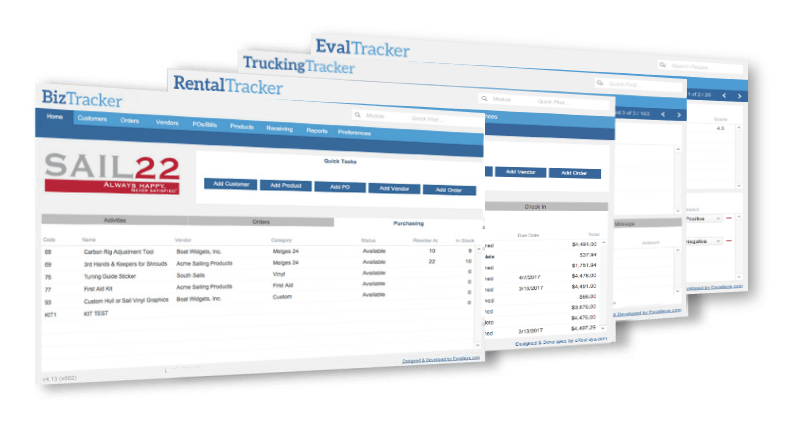
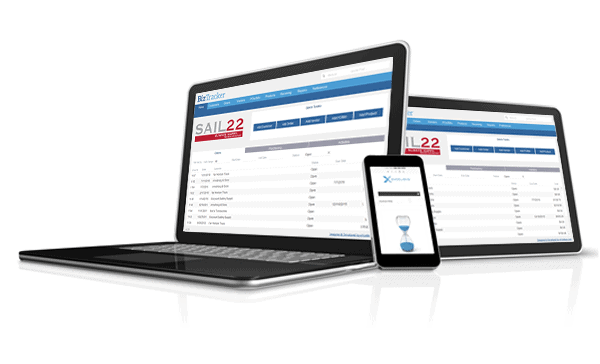
The ultimate flexible business solution to jump-start your biz successfully, quickly!
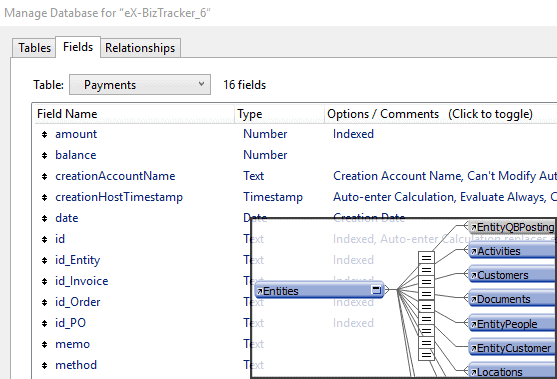
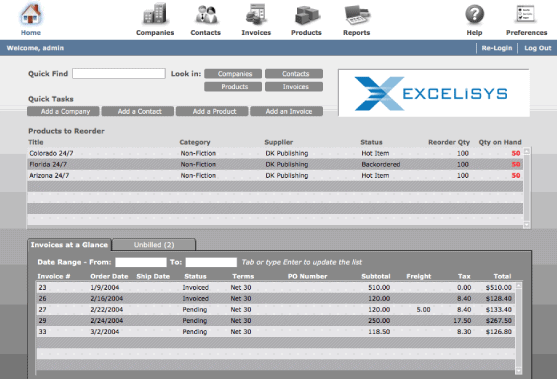
Works With FileMaker Versions 15 – 18
Who uses the eX-BizTracker? Glad you asked!
The eX-BizTracker has served our clients’ needs in a veritable cornucopia of industries including:
- Manufacturing
- Grip and camera equipment rental (complex sales commissions structures)
- Resource management
- Vintage Volkswagen auto parts distribution
- Chocolate production (yummy) (with extensive lot-tracking of ingredients and batches for FDA compliance)
- Imports & distribution
- Appraisal businesses / Realtors
- Cemeteries
- Cataloging and selling used lab equipment online
- HVAC
- Custom furniture manufacturing and sales
- Property management
- Photo gallery
- Online Merchandising & Sales
- Stock photography licensing
- Consulting firms
- Biotech companies
And gobs and bunches more!!
All this great stuff … AND, it is still very customizable for your unique business requirements!
Successful eX-BizTracker Clients















Riveting Reviews Relinquished by Customers
We Love Our Customers, And They Love Us!

Societal Summation of Our Services

Google Reviews & Ratings
4.9 out of 5

BBB Reviews & Ratings
A+

Facebook Reviews & Ratings
4.9 out of 5
Our Portfolio

FileMaker Quick Quote System Speeds Quotes, Orders
For small manufacturing businesses, creating quotes for custom products can be time-consuming. Check out this quote-automation software we built to help one manufacturer get quotes out quickly.

HOA Website Help
Maintaining an HOA or condo association website takes time and energy. Links break, updates fail and sites get hacked. That's where we can help. See how eXcelisys has assisted two property owner associations in maintaining and updating their sites.

eXcelisys Earns Vote of Confidence for Building Star-Spangled Campaign Website
eXcelisys earns stars and stripes for campaign website design that took 28 days from inception to launch. For St. Joseph County, Indiana, native Tom McCormick, the decision to seek political office was a long time coming. But once McCormick decided to run for county commissioner, he knew he needed to launch a campaign website lickety-split.

Audio Post-production Firm Finds Harmony with Custom Studio Management Software
We heard our client loud & clear -- build us a FileMaker solution to manage bookings, staff schedules, studio space, invoices, project notes, files & more

eXcelisys Delivers New Website for Angery American
A while back, Chris Weatherman – famed prepper, survivalist, podcaster and contestant on the History Channel’s first season of “Alone” – found himself alone, once again. The backdrop of his isolation this time was not Vancouver Island, but the wilderness of web development. Weatherman – best known as the “Angery American” and author of the best-selling “Survivalist” book series – could not find a website developer willing to touch his website.

NotarizeIt! Gives eXcelisys Stamp of Approval for Website Development Work
Frustrations with another developer led NotarizeIt! to enlist the services of eXcelisys to save its development project and get its site up, running, and launched for action! NotarizeIt! offers an online directory to link notaries with clients in need.